
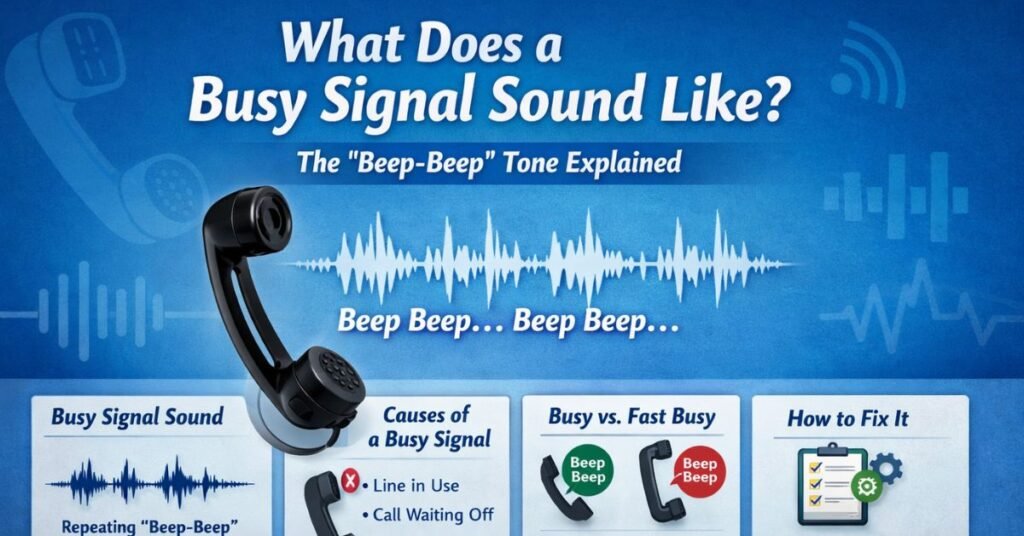
If you’ve ever dialed a number and immediately heard a repetitive “beep-beep… beep-beep…” instead of a voice, you’ve experienced one of the most iconic sounds in telecommunications history. So, what does a busy signal sound like, exactly? And why does it still matter in an age of smartphones, VoIP, and instant messaging?
For many of us, the busy signal is a nostalgic audio cue from the landline era. For others, it’s still a daily frustration — especially in business, customer service, or high-volume calling environments. That sound can mean anything from “the person is on another call” to “there’s a network issue” to “your call cannot go through.”
In this in-depth guide, we’re going far beyond the simple answer. You’ll learn:
- The exact sound pattern of a busy signal
- How it differs across countries and systems
- The difference between a busy tone and other call failure sounds
- What causes a busy signal today
- How to fix it (whether you’re the caller or receiver)
- Tools and modern solutions to prevent it
- Common misconceptions people still have
Whether you’re a curious reader, a business owner optimizing call systems, or someone troubleshooting phone issues, this guide will give you clarity — and practical steps you can use immediately.
Let’s start with the basics.
What Does a Busy Signal Sound Like? (Simple, Clear Answer)
In its classic form, a busy signal sounds like a repeated pattern of short tones:
- Beep-beep
- Pause
- Beep-beep
- Pause
- Repeats continuously
Technically, in the United States and many other countries, the busy tone is:
- A tone around 480 Hz + 620 Hz
- 0.5 seconds ON
- 0.5 seconds OFF
- Repeated continuously
In plain English? It’s a rhythmic, evenly spaced “beep-beep” sound that loops until you hang up.
If you grew up with landlines, you probably recognize it instantly. It’s sharp, unmistakable, and slightly irritating — by design. Its purpose is to signal clearly: the line you’re calling is currently unavailable because it’s engaged.
But here’s where it gets interesting: not all busy signals are the same.
The History of the Busy Signal: Why That Sound Exists
Before smartphones, before call waiting, and long before messaging apps, telephone networks were built on physical circuit switching. That meant:
- Each call required a dedicated line.
- If someone was using the line, no one else could use it.
- There was no digital queue.
The busy signal was invented as an efficient audio indicator. Instead of silence (which would be confusing), or a human operator (which would be expensive), the system generated a repeating tone to indicate the circuit was occupied.
This design had to meet three criteria:
- Instantly recognizable
- Impossible to confuse with ringing
- Simple for analog systems to generate
The solution? A steady on-off tone pattern that contrasts clearly with the ringback tone (the “brrrr… brrrr…” sound you hear while waiting for someone to answer).
In the early days, this signal was generated by mechanical switching equipment. Today, it’s digitally simulated — but the sound pattern remains similar because humans recognize it.
It’s one of the longest-lasting audio design standards in modern history.
Busy Signal vs. Ringing vs. Fast Busy: Know the Difference
Many people search “what does a busy signal sound like” because they’re not sure whether what they heard was actually a busy tone. Let’s clarify.
1. Standard Busy Signal
- Even rhythm
- 0.5 seconds on, 0.5 seconds off
- Repeats steadily
- Indicates the line is currently in use
2. Fast Busy (Reorder Tone)
This one sounds more urgent:
- Faster beeps
- Shorter intervals
- Often sounds like rapid “beep-beep-beep-beep”
This usually means:
- Network congestion
- Invalid number
- Call cannot be completed
- Routing issue
It’s not the same as a standard busy signal.
3. Ringback Tone
- Longer “ringing” sound
- 2 seconds on, 4 seconds off (varies by country)
- Indicates the phone is ringing on the other end
Confusing these sounds can lead to wrong conclusions. For example, many people assume a fast busy means someone blocked them — but it often doesn’t.
Understanding these patterns is key to troubleshooting correctly.
What Causes a Busy Signal Today?
In the modern era, a busy signal doesn’t always mean what it used to. Here are the most common causes.
1. The Person Is on Another Call
Classic scenario:
- The person is talking to someone else
- They don’t have call waiting enabled
- Their system only allows one active line
Still common with:
- Some business landlines
- Small offices
- Older PBX systems
2. Call Waiting Is Disabled
Most mobile phones today have call waiting enabled by default. But if someone disables it:
- Incoming calls will receive a busy tone
- The phone will not notify them of a second call
3. Network Congestion
During major events, emergencies, or disasters:
- Networks can become overloaded
- Calls fail immediately
- Fast busy tones occur
This was common during:
- Natural disasters
- Major breaking news events
- High-volume call periods
4. VoIP or PBX Misconfiguration
In business environments, a busy signal may indicate:
- All lines in a hunt group are full
- Incorrect routing
- SIP trunk capacity reached
- Configuration error
This is especially common in growing businesses that haven’t scaled their phone systems properly.
5. The Number Is Invalid
Some systems return a busy-like tone when:
- The number no longer exists
- The number is incorrectly dialed
- The area code is wrong
Though increasingly, you’ll hear a recorded message instead.
Does a Busy Signal Mean Someone Blocked You?
This is one of the most searched questions online.
Short answer: Usually, no.
When someone blocks your number, you’re more likely to experience:
- One ring then voicemail
- Immediate voicemail
- Silent failure
- Recorded message
A consistent traditional busy signal typically means:
- The line is engaged
- The network is rejecting the call
- The system is unavailable
However, some carriers may simulate a busy tone for blocked calls — but this is not universal.
If you repeatedly get a busy signal at all times of day over multiple days, it’s more likely:
- The phone is off
- The number is disconnected
- There’s a routing issue
Jumping to emotional conclusions based on a single busy tone isn’t reliable.
Step-by-Step Guide: How to Troubleshoot a Busy Signal
If you’re repeatedly hearing a busy signal, here’s how to approach it logically.
Step 1: Hang Up and Redial
Simple, but effective.
- Wait 30–60 seconds.
- Redial the number.
- See if the issue persists.
Sometimes it’s temporary congestion.
Step 2: Try a Different Phone
Use:
- A mobile device instead of a landline
- A different carrier
- A VoIP app
If the call works from another device, the issue may be on your end.
Step 3: Check If Others Can Reach the Number
Ask:
- Can someone else call successfully?
- Is the number reachable from different networks?
If no one can connect, it’s likely their system.
Step 4: Confirm the Number Format
Double-check:
- Area code
- Country code
- Extra digits
- Saved contact formatting
One wrong digit can trigger failure tones.
Step 5: Contact Your Carrier (If It Persists)
Especially if:
- Every call gives a busy tone
- Only certain numbers fail
- It started suddenly
Your carrier can check routing logs.
Business Use Cases: Why Busy Signals Still Matter
If you run a business, busy signals are more than an annoyance — they’re lost revenue.
Imagine this scenario:
A customer calls your plumbing service during an emergency. Instead of reaching you, they hear a busy signal. What do they do?
They call your competitor.
Busy signals cost businesses:
- Leads
- Sales
- Trust
- Brand reputation
High-performing businesses prevent busy signals by using:
- Multi-line systems
- Call queues
- Auto attendants
- Cloud-based VoIP platforms
If you operate:
- A clinic
- A law firm
- A repair service
- An e-commerce support line
You should rarely — if ever — produce a busy signal.
Tools and Modern Solutions to Prevent Busy Signals
Let’s compare your main options.
1. Traditional Landline (Single Line)
Pros:
- Simple
- Reliable in outages
Cons:
- Only one call at a time
- High chance of busy signals
- Limited features
Best for: Personal use
2. Multi-Line Business Phone Systems
Pros:
- Multiple simultaneous calls
- Basic call routing
- Familiar hardware
Cons:
- Hardware maintenance
- Installation cost
Best for: Small offices
3. Cloud VoIP Systems (Recommended)
Pros:
- Unlimited scalability
- Call queues
- Voicemail-to-email
- Auto-attendants
- Mobile integration
Cons:
- Requires stable internet
- Monthly subscription
Popular options include:
- RingCentral
- Nextiva
- 8×8
- Grasshopper
For growing businesses, VoIP is typically the smartest investment to eliminate busy signals.
Common Mistakes and How to Fix Them
Mistake 1: Assuming Busy Means Blocked
Fix:
- Test from another phone
- Try at different times
Mistake 2: Ignoring Business Call Volume
Fix:
- Analyze peak call hours
- Add lines or VoIP capacity
Mistake 3: Not Enabling Call Waiting
Fix:
- Check phone settings
- Activate via carrier code
Mistake 4: Poor SIP Trunk Planning
Fix:
- Increase trunk capacity
- Monitor concurrent call usage
Conclusion
So, what does a busy signal sound like?
At its simplest, it’s a rhythmic, repeating “beep-beep” tone indicating the line you’re calling is unavailable. But in reality, that sound represents far more — from technical routing limitations to business scalability challenges.
Understanding it helps you:
- Diagnose phone issues
- Avoid misinterpretations
- Improve customer experience
- Prevent lost revenue
- Modernize communication systems
If you’re just curious, now you know the difference between standard and fast busy tones.
If you’re running a business, the takeaway is clear: eliminate busy signals before they eliminate your customers.
Have you experienced persistent busy signals? Drop your scenario in the comments — I’ll help you troubleshoot it.
FAQs
What does a busy signal sound like on a cell phone?
Typically a repeating beep-beep pattern, though many mobile carriers now replace it with recorded messages.
Why do I get a fast busy signal?
Usually network congestion, invalid number, or routing issue.
Can someone fake a busy signal?
Technically yes, but it’s rare and not common practice.
Why does a busy signal happen immediately?
Likely invalid number, network error, or system-level rejection.
Do modern smartphones still use busy signals?
Yes, but often replaced with automated voice messages.

Michael Grant is a business writer with professional experience in small-business consulting and online entrepreneurship. Over the past decade, he has helped brands improve their digital strategy, customer engagement, and revenue planning. Michael simplifies business concepts and gives readers practical insights they can use immediately.