Virtual Studio Technology (VST) is one of the most transformative innovations in modern music production. Since Steinberg introduced it in 1996 alongside Cubase VST, the plugin format has reshaped how musicians, producers, sound designers, and composers create, process, and perform audio. Today, with VST 3.8.0 released as open-source software under the MIT license, the technology is more accessible and influential than ever.
Whether you are a bedroom producer just getting started, an experienced mixing engineer, or a developer building your own audio tools, this guide covers everything you need to know about Virtual Studio Technology — from its origins and technical foundations to practical installation steps, troubleshooting tips, and predictions for the future.
1. What Is Virtual Studio Technology? Definition & Core Concepts
The Short Answer
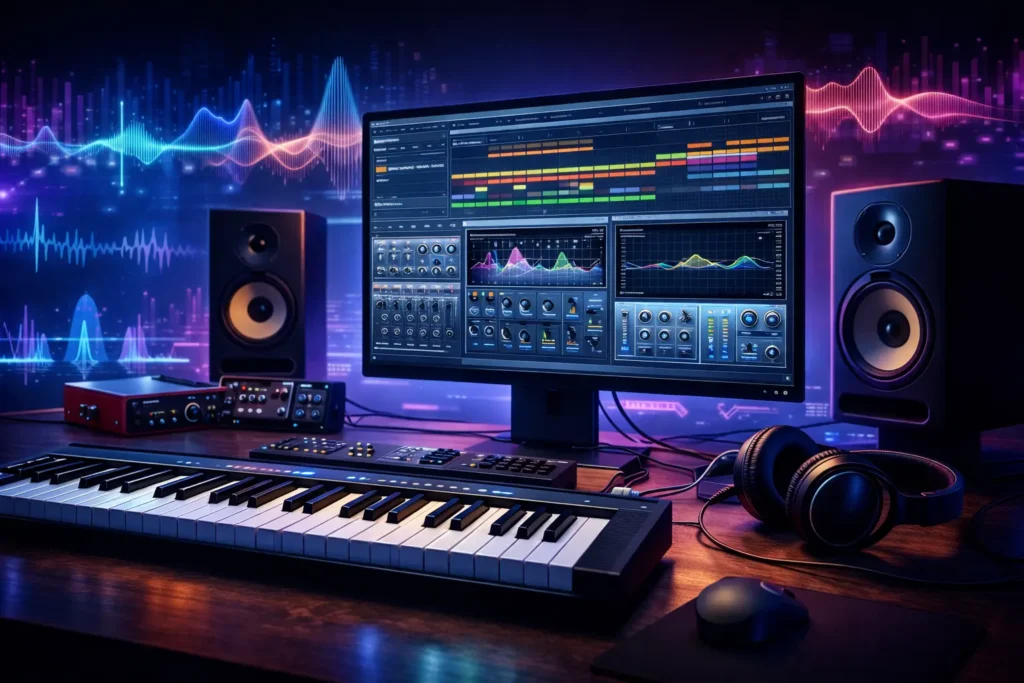
Virtual Studio Technology (VST) is a software interface standard developed by Steinberg Media Technologies. It allows third-party software developers to create audio plugins — virtual instruments and effects — that integrate seamlessly into a compatible Digital Audio Workstation (DAW). In simple terms, VST is the universal “plug socket” standard that lets you snap powerful sound tools into your recording or production software.
How VST Works
The VST architecture follows a host-plugin model built around Digital Signal Processing (DSP):
- The host application (your DAW, such as Ableton Live or FL Studio) opens and manages VST plugins.
- MIDI data or audio signals are sent from the host into the plugin’s processing engine.
- The plugin performs real-time DSP — generating sounds, applying effects, or manipulating MIDI control commands.
- The processed audio is returned to the host, where it is mixed with other tracks and sent to your audio interface.
This signal flow happens at extremely low latency, especially when paired with Steinberg’s own ASIO (Audio Stream Input/Output) driver standard, which underpins low-latency audio on Windows systems. The plugin itself communicates with the DAW through a standardized C++ API, meaning any VST-compatible host can load any VST-compatible plugin, regardless of who made either product.
| Pro Tip: Use ASIO4ALL (Windows) or your audio interface’s native ASIO driver to minimize buffer size and reduce latency when running VST plugins in real-time performance settings. |
A Brief History of VST — From 1996 to Open Source
Understanding the history of VST helps explain why it became the dominant plugin format worldwide:
| Year | Milestone |
| 1996 | Steinberg releases Cubase VST, introducing the original VST plugin interface. Bundled effects include Espacial (reverb), Choirus (chorus), Stereo Echo, and Auto-Panner. |
| 1999 | VST 2.0 launch. MIDI input is added to plugins, enabling the first VSTi (Virtual Instrument) plugins. Neon, a virtual synthesizer, becomes the first VSTi ever released. |
| 2006 | VST 2.4 introduces 64-bit precision audio processing, significantly improving sound quality and headroom. |
| 2008 | VST 3.0 is released — a major architectural overhaul with improved performance, multiple MIDI I/O, and better CPU efficiency. |
| 2011 | VST 3.5 adds Note Expression, enabling polyphonic articulation (per-note pitch bend, modulation, etc.) for expressive performance. |
| 2013 | Steinberg officially discontinues distribution of the VST 2 SDK, encouraging migration to VST3. Legacy VST2 plugins remain widely used. |
| 2017 | VST 3.6.7 introduces Linux support as a preview build, making VST available across all three major platforms. |
| 2025 | VST 3.8.0 is released as fully open-source software under the MIT license, marking a historic shift that opens plugin development to the entire global community. |
2. Types of VST Plugins — Instruments, Effects & MIDI Tools
VST plugins fall into three primary categories, each serving a distinct creative and technical purpose.
VST Instruments (VSTi) — Generate Sound
VSTi plugins are virtual instruments: they receive MIDI data (note on/off, velocity, pitch bend, modulation) and output audio. They replace or supplement hardware synthesizers, samplers, and drum machines. Common types include:
- Subtractive synthesizers — Start with a harmonically rich waveform and filter out frequencies. Examples: Sylenth1, Massive.
- Additive synthesizers — Build complex tones by layering sine waves. Example: Absynth.
- Wavetable synthesizers — Scan through stored waveform tables for evolving timbres. Example: Serum.
- FM (Frequency Modulation) synthesizers — Use one oscillator to modulate another for metallic, bell-like tones. Example: FM8.
- Physical modeling synthesizers — Simulate acoustic instruments mathematically. Example: Pianoteq.
- Virtual samplers — Play back recorded audio at different pitches. Example: Kontakt (Native Instruments).
- Virtual drum machines — Pattern-based rhythm programming with sampled or synthesized kits. Example: Battery.
- Orchestral & ROMpler plugins — Playback of multi-sampled real instruments. Example: Omnisphere, Nexus.
VST Effects (VSTfx) — Process Sound
VSTfx plugins receive audio, process it, and return the result. They are loaded on audio tracks, instrument channels, or send/return buses. The main categories are:
- Equalizers (EQ) — Shape the frequency content of audio. Dynamic EQs and linear phase options are common.
- Reverb & Delay — Simulate acoustic spaces and time-based effects. Algorithmic vs. convolution reverbs.
- Compressors & Limiters — Control dynamic range; essential in mixing and mastering.
- Modulation effects — Chorus, flanger, phaser, tremolo; add motion and width.
- Distortion & Saturation — Add harmonic warmth or aggressive grit, from subtle analog tape saturation to heavy guitar amp simulation.
- Guitar amp simulators — Replicate the sound of classic amplifiers and cabinet combinations.
- Spectrum analyzers & loudness meters — Visual monitoring tools for frequency balance and compliance with streaming standards (LUFS metering).
VST MIDI Effects — Transform MIDI Data
A smaller but powerful category: these plugins process incoming MIDI before it reaches an instrument. Common examples include arpeggiators (automatically generate melodic patterns from held chords), chord generators, and transposers. They are loaded on MIDI tracks rather than audio tracks and do not themselves produce audio.
| Note: Not all DAWs support VST MIDI effect plugins in the same way. Ableton Live and Cubase handle them natively, while other hosts may require workarounds. |
3. Top DAWs That Support VST — Host Applications
Popular DAW Hosts
The following Digital Audio Workstations offer native VST plugin support and represent the most widely used platforms in professional and hobbyist music production:
| DAW | Platform | VST Support | Best For |
| Ableton Live | Win / Mac | VST2, VST3 | Electronic music, live performance, loop-based production |
| FL Studio | Win / Mac | VST2, VST3 | Beat-making, hip-hop, EDM, beginner-friendly workflow |
| Cubase | Win / Mac | VST2, VST3 | Professional recording, MIDI composition, VST creator |
| Reaper | Win / Mac / Linux | VST2, VST3 | Flexible, lightweight, affordable, cross-platform |
| Pro Tools | Win / Mac | VST3 (via AAX bridge) | Professional studio recording, film/TV post-production |
| Logic Pro | Mac only | AU + VST3 (v11+) | Apple ecosystem, songwriting, built-in instruments |
| MuseScore Studio | Win / Mac / Linux | VST3 | Music notation + audio playback with VST support |
| Studio One | Win / Mac | VST2, VST3 | Songwriting, mixing, mastering, drag-and-drop workflow |
Standalone VST Hosts
For live performance situations where launching a full DAW is impractical, standalone VST host applications offer a lightweight alternative. These programs load VST plugins directly, allowing fast switching between sounds without the overhead of a complete project session. Popular standalone hosts include Bidule, Gig Performer, and MainStage (macOS).
Hardware VST Hosts
An emerging category of portable hardware units can load VST plugins directly onto dedicated hardware, eliminating the need for a laptop on stage. These devices typically run a lightweight embedded OS and connect to MIDI controllers and audio outputs directly.
4. How to Install and Use Your First VST Plugin — Step-by-Step Guide
One of the most common frustrations for new producers is getting a VST plugin installed and visible inside their DAW. The process is straightforward once you understand the folder structure and re-scan workflow.
Step 1 — Download & Install the Plugin
- Download the plugin installer from the developer’s official website.
- Run the installer. During installation, pay attention to the destination folder — most installers default to the correct system VST folder, but you can customize it.
- Standard VST3 plugin folders by operating system:
- Windows: C:\Program Files\Common Files\VST3
- macOS: /Library/Audio/Plug-Ins/VST3
- Linux: /usr/lib/vst3 or ~/.vst3
| Warning: If you are installing a legacy VST2 plugin (.dll on Windows, .vst on Mac), you will need to point your DAW to its specific folder location in the DAW’s plugin preferences. VST3 is auto-detected from the standard path in most modern DAWs. |
Step 2 — Rescan Plugins in Your DAW
- Open your DAW’s Preferences or Settings menu.
- Navigate to the Plugins or VST section.
- Click “Scan” or “Rescan All Plugins.” Some DAWs (like Ableton) require you to use the “Rescan” option to force re-detection of new plugins.
- If a plugin fails to appear, try deleting the plugin cache file and performing a fresh scan. The cache location varies by DAW — check your DAW’s documentation.
Step 3 — Load the Plugin on a Track
- For a VSTi (instrument plugin): Create a new MIDI or Instrument track, then click the instrument slot and select your plugin from the browser.
- For a VSTfx (effect plugin): Create or select an audio track, then add the plugin to the effects chain in the track’s FX slot or mixer insert.
- Connect a MIDI controller or draw MIDI notes in the piano roll to trigger the instrument.
Step 4 — MIDI Mapping & Automation
Most VST plugins expose all of their parameters to the DAW’s automation system. You can record real-time parameter changes (filter cutoff, reverb mix, volume) by enabling automation write mode and moving plugin controls during playback. MIDI controllers can be mapped to plugin parameters for expressive live performance using your DAW’s MIDI learn feature.
Troubleshooting Common Issues
| Problem | Likely Cause | Solution |
| Plugin not showing in DAW | Wrong install folder or cache | Check VST3 path, delete DAW plugin cache, rescan |
| Plugin crashes on load | Incompatible version (VST2 vs VST3) or 32/64-bit mismatch | Download correct version; use a plugin bridge if needed |
| High CPU usage / dropout | Plugin is CPU-intensive | Increase buffer size, freeze/bounce tracks, reduce polyphony |
| No sound from VSTi | No MIDI input assigned | Check MIDI track routing; ensure MIDI device is selected |
| Plugin works but sounds wrong | Sample rate mismatch | Match plugin sample rate to project sample rate (usually 44.1k or 48k Hz) |
5. VST Versions Explained — VST2 vs VST3 vs VST 3.8
Not all VST plugins are equal. The version of the VST standard a plugin uses has major implications for features, performance, and compatibility. Here is a clear breakdown:
| Feature | VST2 (Legacy) | VST3 | VST 3.8.0 (2025) |
| Release Year | 1999 | 2008 | 2025 |
| MIDI Input for Instruments | Yes | Yes (improved) | Yes |
| Multiple MIDI I/O | No | Yes | Yes |
| Note Expression | No | Yes (VST 3.5+) | Yes |
| 64-bit Audio | VST 2.4+ | Yes | Yes |
| Audio Input for Instruments | No | Yes | Yes |
| Better CPU (suspend when silent) | No | Yes | Yes |
| Linux Support | Limited | Yes (3.6.7+) | Yes |
| Open Source / License | Proprietary (discontinued SDK) | GPLv3 or Proprietary | MIT (fully open) |
| SDK Status | Discontinued (2013) | Active | Active + Open Source |
| Recommended For | Legacy projects only | Current standard | New development (preferred) |
VST2 — Legacy Format Still in Wide Use
Despite Steinberg ending distribution of the VST2 SDK in 2013, a vast library of VST2 plugins continues to exist and function in most DAWs. Many producers still rely on classic VST2 instruments like older versions of Sylenth1 and Nexus for their specific sonic character. However, VST2 is a dead-end format: no new official VST2 plugins can be created using the official SDK, and some newer DAWs (notably REAPER 7+) have begun dropping VST2 support in their default installers.
VST3 — The Current Standard
VST3 represents a substantial architectural rewrite rather than an incremental update. Key improvements include the ability for instrument plugins to receive audio input (enabling vocoder-style processing), proper support for multiple MIDI inputs and outputs on a single plugin, and the Note Expression system — which allows per-note articulation data such as individual pitch bends, modulation, or pressure values for each note in a polyphonic chord. VST3 also implements smart CPU management: if no audio is present at a plugin’s input, the plugin automatically suspends processing, reducing CPU load significantly in complex sessions.
VST 3.8.0 — The Open Source Era (2025)
The release of VST 3.8.0 under the MIT license in 2025 is arguably the most significant moment in the format’s history since 1999. The MIT license is one of the most permissive open-source licenses available — it allows anyone to use, modify, distribute, and build upon the VST SDK for free, including in commercial, closed-source products. This replaces the previous dual-licensing model (GPLv3 for open-source projects, or a paid Steinberg license for commercial plugins), which had been a friction point for many independent developers. The result is expected to accelerate VST plugin development significantly and encourage more open-source audio software projects.
| Developer Note: With the MIT license, you can now integrate the VST3 SDK into any project — open source or commercial — without paying Steinberg licensing fees or releasing your source code. Check the official VST SDK GitHub repository for the latest release. |
6. Benefits of Using VST Plugins
The widespread adoption of Virtual Studio Technology is not accidental. VST plugins offer a compelling combination of practical and creative advantages:
- Cost-effectiveness — Thousands of high-quality VST plugins are available for free, and even premium commercial plugins are far more affordable than their hardware equivalents. A virtual analog synthesizer costing $200 would require thousands of dollars in hardware to replicate.
- Creative freedom — Access to an essentially unlimited palette of sounds: synthesizers covering every genre from ambient to metal, samplers with gigabytes of orchestral recordings, and effects from subtle analog warmth to alien sound design.
- Seamless DAW integration — VST plugins live inside your DAW project file. Parameter states are saved with the session, automation is recorded natively, and the signal flow is entirely virtual — no physical patching required.
- Real-time performance — With low-latency audio drivers (ASIO on Windows, Core Audio on macOS), VST instruments can be played live via MIDI controllers with imperceptible delay.
- Collaboration & portability — Share a DAW project file and all plugin presets with collaborators anywhere in the world. Cloud-based project sync is increasingly common.
- Genre evolution — VST plugins have been central to the rise of EDM, lo-fi hip-hop, ambient, and virtually every modern electronic music genre. Tools like Serum and Massive are as iconic as any hardware synth of the past.
- Automation & recall — Every parameter of every VST plugin can be automated and recalled perfectly. This level of precision and repeatability is simply impossible with hardware.
7. Challenges & Limitations — What to Watch For
A balanced view of VST technology requires acknowledging its genuine limitations:
- Quality variance — The VST plugin ecosystem spans everything from elite professional tools used on Grammy-winning records to low-quality freeware with poor sound design and buggy code. Quality assessment requires research and demo testing.
- Compatibility issues — VST2 vs VST3 conflicts, 32-bit vs 64-bit mismatches, and DAW-specific quirks create compatibility headaches. Pro Tools, for example, uses its own AAX format natively, requiring a bridge for VST plugins.
- System resource demands — Complex orchestral sample libraries can demand 20–50GB of storage and multiple GB of RAM. CPU-intensive synthesizers may cause audio dropouts on older hardware.
- Steep learning curve — High-quality synthesizers like Omnisphere or Reaktor have enormous depth. Learning to use them effectively takes significant time and study.
- Cost of premium plugins — While budget options exist, flagship plugins like Omnisphere (Spectrasonics) carry price tags of $400–$500, and a full professional plugin suite can represent a significant investment.
- Piracy — The VST ecosystem has a significant piracy problem, with cracked plugins distributed widely. Beyond the ethical issue of denying developers revenue, cracked plugins frequently contain malware and can cause serious system instability.
- Lack of UI standardization — Unlike hardware gear, VST plugin interfaces vary wildly in size, resolution, and usability. High-DPI display scaling remains inconsistent across developers.
| Warning: Never install cracked or pirated VST plugins. Beyond the ethical implications, cracked plugins are a common malware delivery vector and can compromise your entire production system. Support developers by purchasing or using legitimate free versions. |
8. Competing Technologies — How VST Stacks Up
VST is the dominant plugin format, but it is not the only one. Understanding the alternatives helps when working across different platforms and DAWs:
| Format | Creator | Platform | Notes |
| VST / VST3 | Steinberg | Windows, Mac, Linux | Industry standard; widest plugin library; MIT open source as of 2025 |
| Audio Units (AU) | Apple | macOS / iOS only | Native format for Logic Pro, GarageBand; not cross-platform |
| AAX | Avid | Windows, Mac | Required for Pro Tools; professional standard in post-production |
| CLAP | u-he & Bitwig | Windows, Mac, Linux | MIT-licensed open standard; gaining traction as a modern VST alternative |
| LV2 | Open source community | Linux (primarily) | Open, extensible format; popular in Linux audio (Ardour, JACK) |
| LADSPA / DSSI | Open source | Linux | Older Linux formats; largely superseded by LV2 |
| RTAS / TDM | Digidesign (Avid) | Mac (legacy) | Legacy Pro Tools format; discontinued |
| DirectX Plugin | Microsoft | Windows (legacy) | Early Windows plugin standard; obsolete |
For most producers, VST3 is the correct choice. It is supported on Windows, macOS, and Linux, has the largest available plugin library, and is now fully open source. Developers building for macOS-only environments may prefer Audio Units for native Apple silicon performance, while those focused on the Linux audio ecosystem may find LV2 better supported in their specific toolchain.
9. For Developers — Building Your Own VST Plugin
The open-source release of the VST3 SDK in 2025 has lowered the barrier to plugin development significantly. Here is an overview of the technical landscape.
VST SDK & Programming Language
The VST3 SDK is written in C++ and exposes a C++ class hierarchy for building plugins. At its core, the API is a thin C interface (for binary compatibility), wrapped in C++ abstractions for ease of use. A typical VST plugin project consists of:
- A processor class — handles audio processing (DSP code, parameter application)
- An edit controller class — manages the plugin’s parameters and communicates with the host
- A UI class (optional) — uses VST GUI (Steinberg’s C++ UI library) or a third-party UI framework
The JUCE Framework — Multi-Format Builds
The most popular approach to VST plugin development is to use the JUCE framework (Jules’ Utility Class Extensions). JUCE is a C++ framework that abstracts over multiple plugin formats: a single JUCE project can be compiled to produce VST2, VST3, Audio Units, AAX, and CLAP plugins simultaneously. JUCE also includes its own cross-platform UI toolkit, audio processing utilities, and DAW integration helpers, making it the de facto industry standard for commercial plugin development.
Licensing Options
With the release of VST 3.8.0, developers now have clear options:
- MIT License (VST 3.8.0+) — Use the SDK freely in any project, commercial or open-source, without fees or source code disclosure requirements. This is the recommended path for new projects.
- GPLv3 — If using an older version of the SDK under the dual-license model, open-source projects may use the GPLv3 option, which requires derivative works to also be open-source.
- Proprietary Steinberg License — Required for commercial plugins built on earlier SDK versions that needed the commercial license. Superseded by MIT in 3.8.0.
10. System Optimization Tips for VST Users
Managing system resources effectively is essential when running complex VST sessions. The following strategies will help maximize stability and performance:
- Use an appropriate buffer size — A buffer size of 128–256 samples balances low latency for recording with CPU stability for playback. Increase to 512–1024 samples when mixing to reduce CPU load.
- Freeze or bounce CPU-heavy tracks — Most DAWs allow you to “freeze” an instrument or effects chain, rendering it to audio temporarily and freeing the CPU from real-time processing.
- Manage RAM with sample streaming — Large orchestral libraries support streaming audio from disk rather than loading everything into RAM. Configure the preload buffer size in your sampler settings.
- Keep your plugin list clean — Avoid scanning thousands of plugins on every DAW launch. Organize plugins into folders and disable unused format paths.
- Use dedicated audio drives — Store large sample libraries on a fast SSD separate from your OS drive to prevent disk I/O bottlenecks.
- Disable Wi-Fi and background apps during sessions — Network activity and background processes cause audio buffer dropouts, especially at low buffer sizes.
- Keep VST and DAW versions synchronized — Update plugins and your DAW together, and always back up your session before major updates.
11. FAQ
What does VST stand for?
VST stands for Virtual Studio Technology. It is an audio plugin interface standard developed by Steinberg Media Technologies and first released in 1996.
What is the difference between VST and VSTi?
VST is the general term for the plugin format. VSTi (Virtual Studio Technology Instrument) refers specifically to instrument plugins that generate audio from MIDI input, such as synthesizers and samplers. VSTfx refers to effect plugins that process existing audio.
Are VST plugins free?
Many high-quality VST plugins are completely free, including popular instruments like Vital (wavetable synth), LABS (by Spitfire Audio), and OB-Xd (vintage analog emulation). Premium commercial plugins range from $20 to over $500. Many developers offer free trials of paid plugins before purchase.
Do all DAWs support VST?
Most major DAWs support VST plugins, but there are exceptions. Logic Pro and GarageBand are optimized for Apple’s Audio Units (AU) format, though Logic Pro 11 introduced native VST3 support. Pro Tools uses the AAX format natively, requiring a bridge to load VST plugins.
What is VST3?
VST3 is the current major version of the VST standard, released in 2008. It introduces significant improvements over VST2 including audio inputs for instruments, multiple MIDI I/O, Note Expression (per-note articulation), smarter CPU management (suspending silent plugins), and better overall performance. It is the recommended format for all new plugin development.
Is VST open source?
As of October 2025 (VST 3.8.0), the VST SDK is fully open source under the MIT license. This means anyone can use, modify, and distribute the SDK — including for commercial purposes — without paying licensing fees or disclosing their source code.
Can I use VST plugins on Linux?
Yes. VST3 support on Linux was introduced as a preview in version 3.6.7 (2017) and is now fully supported. DAWs with Linux VST3 support include Ardour, Bitwig Studio, and REAPER. The VST3 SDK itself runs natively on Linux.
What are the system requirements for VST plugins?
Requirements vary significantly by plugin type. Simple EQ plugins may use less than 1% CPU, while complex orchestral sample libraries can require 16–32GB of RAM, 50+ GB of storage, and a modern multi-core processor. Always check a plugin’s minimum system requirements before purchase.
How do I install a VST plugin?
Install the plugin to the standard VST3 folder for your OS (see Section 4), then open your DAW’s plugin preferences and perform a rescan. The plugin should appear in your instrument or effects browser. For detailed steps, see the installation guide in Section 4 of this document.
What is the best VST synthesizer?
“Best” depends on your genre and workflow. Widely praised options include Serum (wavetable synthesis, sound design), Massive X (NI, bass and leads), Omnisphere (Spectrasonics, cinematic and eclectic sounds), Sylenth1 (trance and EDM leads), and FM8 (FM synthesis). All offer free demo versions.
Can I use VST plugins live?
Yes. With a MIDI controller connected to a laptop running a DAW or standalone VST host, you can trigger and perform with VST instruments in real time. Recommended tools for live VST performance include Ableton Live (Session View), Gig Performer, and Bidule. ASIO drivers on Windows provide the low-latency audio essential for live use.
What is the difference between VST and ASIO?
These are two different Steinberg technologies that work together but serve different purposes. VST is the plugin interface standard — it defines how audio plugins integrate with DAWs. ASIO (Audio Stream Input/Output) is a low-latency audio driver protocol for Windows that allows DAWs to communicate directly with audio interfaces, bypassing the standard Windows audio stack for dramatically lower latency. Both were created by Steinberg but operate at different layers of the audio stack.
Why is my VST plugin not showing up in my DAW?
The most common causes are: the plugin was installed to the wrong folder, the DAW’s plugin cache needs clearing and a fresh rescan, there is a version mismatch (VST2 plugin in a VST3-only path), or a 32-bit plugin is being loaded in a 64-bit DAW without a bridge. See the Troubleshooting table in Section 4 for detailed solutions.
What is Note Expression?
Note Expression is a VST3 feature introduced in version 3.5 (2011). It enables per-note polyphonic articulation: individual notes within a chord can each carry their own pitch bend, modulation, volume, or custom expression data. This is particularly powerful for expressive solo performance and cinematic composition, where individual notes in a chord need independent phrasing — something impossible with standard MIDI pitch bend (which applies to all notes simultaneously).
Is VST better than Audio Units?
This is a platform question rather than a quality question. VST3 is cross-platform (Windows, macOS, Linux) and offers the largest plugin library. Audio Units is Apple-only but provides the deepest native integration with Logic Pro and other Apple software. If you work exclusively on Mac, you will encounter many excellent AU-only plugins. If you work cross-platform or on Windows/Linux, VST3 is the clear choice.
12. The Future of Virtual Studio Technology
The open-source release of VST 3.8.0 under the MIT license is not just a procedural change — it signals a new era for audio plugin development. Here is what the future likely holds for Virtual Studio Technology:
Accelerated Open-Source Development
With the MIT license removing all financial and legal barriers, the global open-source community can now contribute to, fork, and extend the VST3 SDK freely. Expect faster iteration, community-driven bug fixes, and new experimental features developed outside Steinberg’s release cycle.
AI-Powered VST Plugins
Artificial intelligence is already influencing plugin development. Machine-learning-based tools for audio separation, intelligent noise reduction, auto-mastering, and AI-driven mixing assistance are becoming mainstream VST plugins. The trend will accelerate as on-device inference improves: expect AI plugins that adapt to your mix in real time, generate variations of your sounds, or learn the sonic signature of reference tracks and help match them.
Cloud-Based and Subscription Plugin Models
A growing number of plugin developers are moving toward subscription-based cloud libraries, where instruments and effects are streamed or licensed on a per-month basis. This model lowers the entry cost for producers while providing developers with recurring revenue. Expect VST hosting infrastructure to evolve to accommodate cloud-delivered plugin content.
Mobile and iPad VST
The line between desktop and mobile production is blurring. Apple’s iPad, with Apple Silicon chips and the Audio Units v3 standard, already supports professional-grade music production. Analogous VST-compatible mobile environments are emerging, and as processing power on mobile devices continues to grow, expect full VST3 plugin compatibility on tablets within the next few years.
CLAP as a Complementary Standard
The CLAP (CLever Audio Plugin) format, developed by u-he and Bitwig and released under the MIT license, is gaining traction as a modern alternative to VST3. CLAP and VST3 are not competitors so much as parallel open standards: both being MIT-licensed and community-supported may accelerate a healthy ecosystem where DAWs and developers support multiple formats simultaneously.
Toward VST 4.0?
With the SDK now open source and community-driven, the question of what a hypothetical VST 4 might look like becomes more interesting. Potential areas for future development include native support for spatial audio (Ambisonics, Dolby Atmos), tighter integration with DAW automation and modulation systems, and improved support for GPU-accelerated DSP processing.
Conclusion
Virtual Studio Technology has fundamentally transformed music production, sound design, and audio engineering over nearly three decades. From Steinberg’s original 1996 release bundled with Cubase to the open-source MIT-licensed VST 3.8.0 SDK of 2025, the format has grown from a niche software experiment to the global backbone of digital audio production.
Whether you are loading your first free synthesizer plugin into FL Studio, building a complex multi-bus mixing session in Pro Tools, or writing your own audio processor in C++ using the open-source SDK, Virtual Studio Technology sits at the center of modern audio creation. The ecosystem is richer, more accessible, and more open than at any point in its history.
The most exciting chapter of VST may still be ahead: with AI integration, cloud-based delivery, mobile expansion, and the momentum of the open-source community all converging, the next iteration of Virtual Studio Technology will be shaped not just by Steinberg, but by the entire global community of developers, producers, and musicians who depend on it every day.
Glossary of Key Terms
| Term | Definition |
| VST | Virtual Studio Technology — Steinberg’s audio plugin interface standard for integrating virtual instruments and effects into DAWs. |
| VSTi | VST Instrument — a VST plugin that generates audio from MIDI input (synthesizers, samplers, drum machines). |
| VSTfx | VST Effect — a VST plugin that processes existing audio (EQ, reverb, compression, etc.). |
| DAW | Digital Audio Workstation — software for recording, editing, mixing, and producing audio (Ableton, Logic Pro, FL Studio, etc.). |
| DSP | Digital Signal Processing — mathematical manipulation of audio signals in the digital domain. |
| MIDI | Musical Instrument Digital Interface — a protocol for transmitting musical note and control data between devices and software. |
| ASIO | Audio Stream Input/Output — Steinberg’s low-latency audio driver standard for Windows. |
| Buffer Size | The number of audio samples processed per cycle; lower = less latency, higher = less CPU stress. |
| Sample Rate | The number of audio samples captured per second (44,100 Hz = CD quality; 48,000 Hz = standard for video/film). |
| Latency | The delay between an audio input event (e.g., playing a key) and the corresponding audio output. |
| Note Expression | VST3 feature enabling per-note articulation data (pitch bend, modulation) in polyphonic passages. |
| MIT License | A permissive open-source software license allowing free use, modification, and distribution, including in commercial products. |
| CLAP | CLever Audio Plugin — an open-source, MIT-licensed plugin format developed as a modern alternative to VST. |
| JUCE | Jules’ Utility Class Extensions — the most widely used C++ framework for VST plugin development. |
| FXP / FXB | VST preset file formats — FXP stores a single preset; FXB stores a bank of presets. |

Adrian Cole is a technology researcher and AI content specialist with more than seven years of experience studying automation, machine learning models, and digital innovation. He has worked with multiple tech startups as a consultant, helping them adopt smarter tools and build data-driven systems. Adrian writes simple, clear, and practical explanations of complex tech topics so readers can easily understand the future of AI.